Complete OTT Platform Launch Checklist for 2026
Use this OTT platform launch checklist for 2026 to verify content rights, streaming quality, apps, payments, security, support, and launch readiness.


Table of contents
Complete OTT Platform Launch Checklist for 2026
Whilst your OTT app may look ready to go live, there are a number of smaller issues that can cause problems. This could include payment failures, missing content, buffering and incorrect permissions.
The 2026 full OTT platform launch checklist will ensure that streaming businesses have a number of fundamental requirements covered prior to launch. This includes ensuring that:
- Content is ready,
- Technical requirements are met,
- Testing is carried out on your app,
- Monetisation is in place,
- Security is provided,
- Customer support is available,
- And monitoring is in place on launch day.
To prevent any issues from arising with paying viewers.
Quick Answer
A checklist for launching an OTT platform will provide businesses with a way of ensuring everything is set up properly to deliver their streaming service. Businesses can check that they have appropriate content rights, videos are delivered properly, they are supporting the right devices, there is a subscription payment system in place, security is appropriate and customer support is in place. End to end testing should be completed, roles for operations decided and monitoring put in place to avoid any avoidable issues at launch.
What Should Be Ready Before Your OTT Platform Goes Live?
The launch of your OTT service will need co operation from multiple teams.
Whilst you may have a functional video player, there are other factors to consider.
Before announcing a launch date you should have:
- Business ready: Rights, pricing and payment approvals are confirmed.
- Technical ready: Applications, video delivery and security are tested.
- Support ready: Support, monitoring and incident handling are in place.
You should assign owners for any key launch requirements and have them approved.
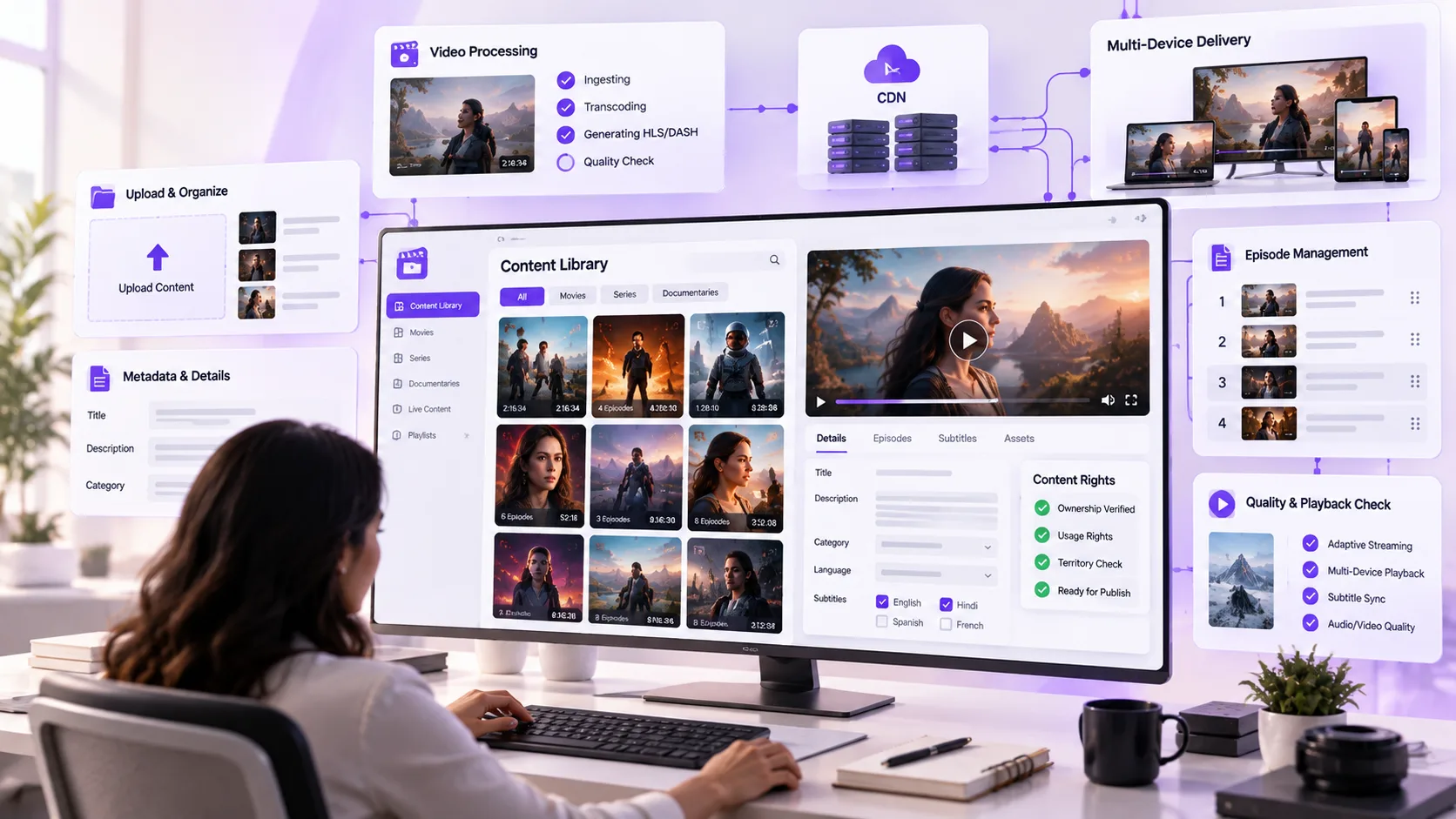
1. Is Your Content Library Ready for Publishing?
Your content library needs to be complete, properly organised and cleared for distribution.
Content Readiness Checklist:
- Ensure distribution rights are secured for all movies/series/events.
- Ensure availability in region and licensing expiry date.
- Check video titles, descriptions, categories and thumbnails.
- Confirm subtitles, audio and episode ordering.
Remove any duplicates, incomplete or unauthorised content.
For example a documentary may only be licensed to be distributed within one country.
A white label OTT platform will give you the infrastructure to run your branded streaming service, but you need to be sure that you have the right to distribute it.
All titles will need to be legally available, described correctly and available to your target audience when you go live.
2. Have You Tested the Video Streaming Infrastructure?
Make sure you can deliver a reliable video service to keep your viewers happy.
Ensure your video streams work well under the network and user conditions you expect.
Technical checklist:
- Ensure your videos have been encoded properly.
- Test your adaptive bit rate streaming on fast and slow connections.
- Make sure your content delivery network is correctly configured.
- Ensure your load times and buffering are correct.
- Test your system under realistic concurrent traffic.
If you are providing a live streaming service make sure you have:
- Low latency
- Stream recovery
- Backup delivery
Test under less than perfect conditions. Viewers may be using their mobile devices which can have unreliable connections, older devices or may even lose internet connection.
Your video should be playable under the network and traffic conditions you are planning to include when launching your video service.
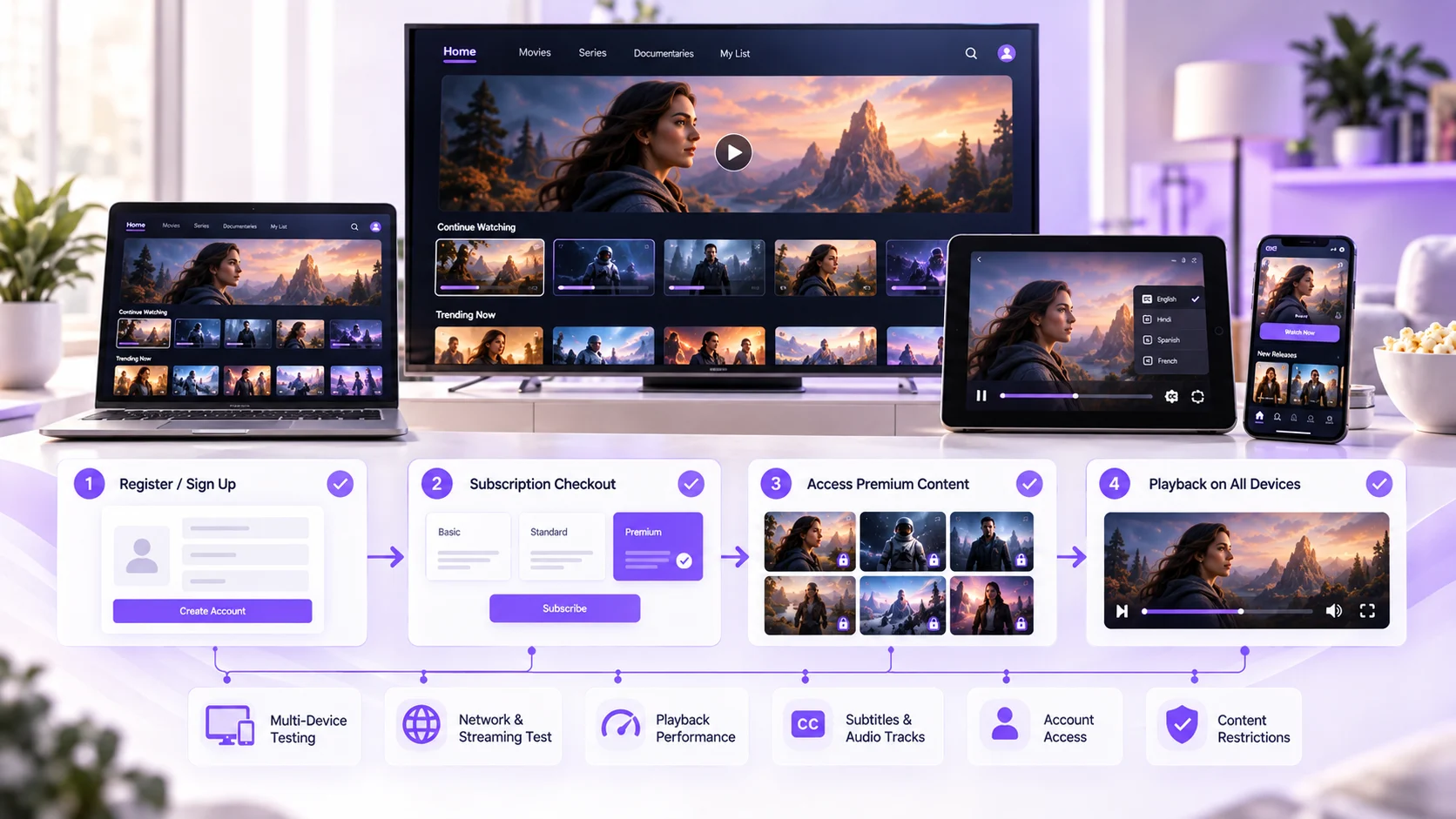
3. Are Subscription Payments and Access Rules Working?
The payment must be handled appropriately.
Monetization checklist:
- Can the user subscribe and make a successful payment?
- Are error messages displayed when there is an unsuccessful payment?
- Is there an appropriate process for handling this?
- Can users cancel and renew?
- Can users access free, premium and pay per view content?
Check the pricing, payment terms and refund information is as advertised.
If a user subscribes to a premium package but cannot access their content then they have had an unsuccessful transaction.
Payments and viewing rights must always be in sync.
4. Is the Streaming App Ready Across Supported Devices?
Your application might work well on a smartphone device but maybe have issues when used on connected TVs/web browsers.
Ensure you test using the exact devices that will be used at launch.
Application Testing Checklist:
- Can you log in, out, and recover your account?
- Can you navigate around your application using touchscreen and TV remote?
- Can you play, pause, restart and seek videos?
- Are subtitles, audio and accessibility functions available?
- Is your application stable during network disruption?
When testing the features of an OTT platform it is important to ensure they are compatible and can be used rather than how many features there are.
Testing the viewer journey:
Register > Subscribe > Search Content > Play Content > Continue Watching
The whole journey should be seamless with no unexpected errors.
5. Have You Checked Security and Content Protection?
Content, user and payment data will all be managed through your streaming platform
Ensure the following security checks have been done before approving launch.
Security Checklist:
- DRM has been set up for licensing.
- Geo restrictions / content access are in place.
- Admin role and authentication have been set up.
- User data has been securely set up.
- No unauthorised access and session timeout.
Privacy notices, consents and payment responsibilities are in place for launch countries.
Content should be protected and users have access to it according to the platforms licensing and security requirements.
6. Is Your Team Prepared for Launch Day Operations?
Whilst being technically ready to deploy your release, you need to ensure that you have processes in place to handle any issues.
Operations Checklist
- Create roles for technical monitoring and content publishing
- Create responses to frequently asked questions by customers
- Set up alerts for play failures and application crashes
- Create a contact list for escalations and issue resolution processes
- Create a plan for rollbacks or recovery for critical issues
If you're dealing with an episodic service then having a structured Video on Demand service will help manage the media catalogue.
However, you will still need to have oversight of publishing times, correct content and approval processes.
It is good to do a practical run through of your deployment and simulate an issue with play or payment to ensure you have the correct processes in place.
What Should Your Final Go Live Approval Include?
Use a simple approval matrix before releasing the platform publicly.
| Launch area | Approval requirement | Responsible team |
|---|---|---|
| Content | Rights and metadata verified | Content |
| Streaming | Playback and delivery tests passed | Engineering |
| Monetization | Payment and access flows tested | Finance / Product |
| Applications | Supported devices tested | Quality Assurance |
| Security | Access controls reviewed | Security |
| Operations | Support and recovery plans ready | Operations |
Any unresolved problem involving payments, content rights, security, or widespread playback failure should be reviewed before approving the launch.
Minor visual issues may be scheduled for later correction if they do not interfere with essential functionality.
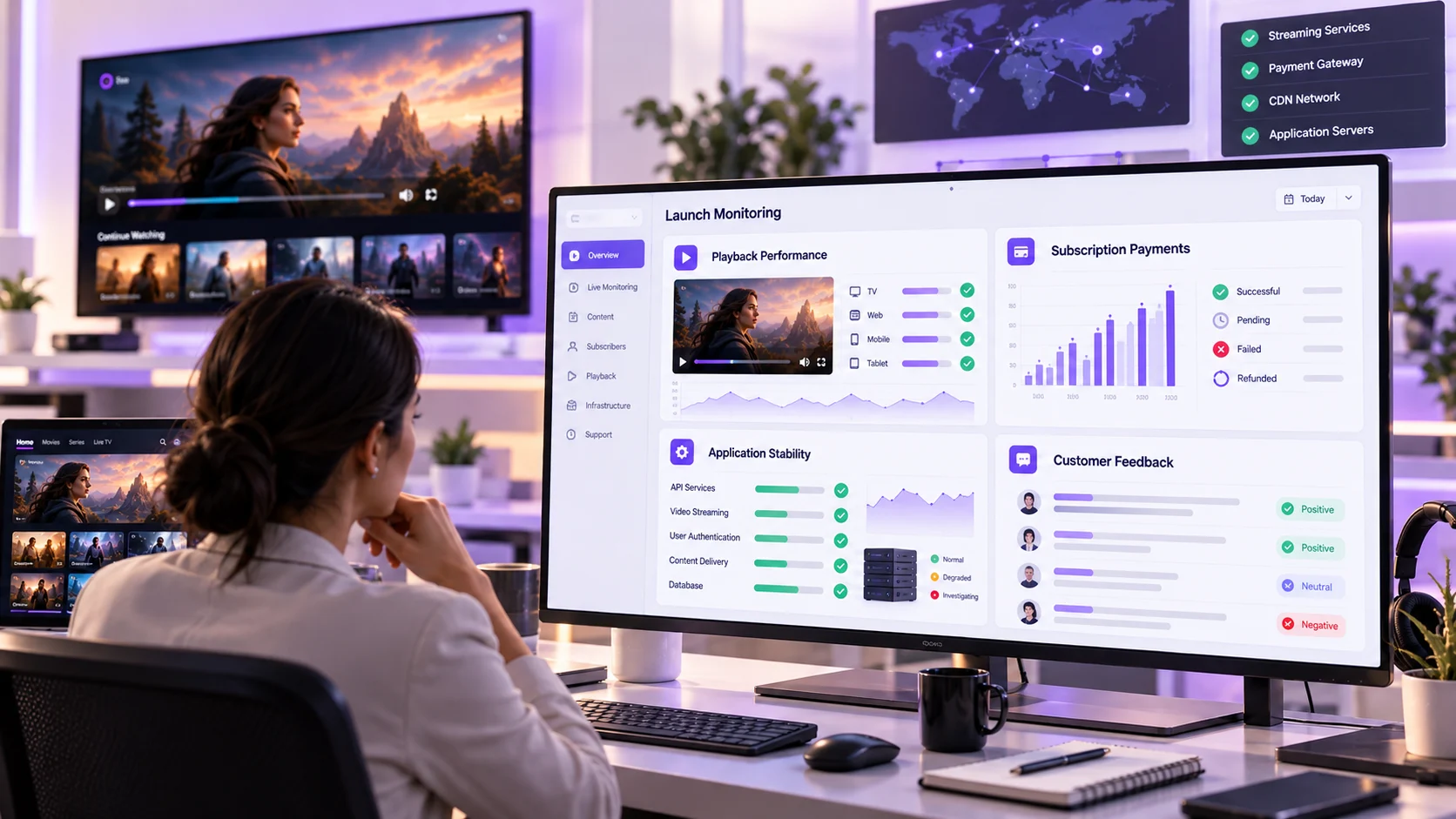
What Should You Monitor Immediately After Launch?
Monitoring is still required.
In the initial days, ensure that you are monitoring:
- Playback Issues: Failed to start playback, buffering issues and playback interruptions.
- Payment Issues: Failed payments and subscription access issues.
- App Stability: Crashes and device specific errors.
- Customer Feedback: Common complaints and confusing processes.
Review major incidents and log any actions taken.
Final Thoughts
An OTT launch will require you to have video rights, video delivery, monetization, security and customer support.
This will ensure you have a clear set of acceptance criteria in place. You’ll also be able to run real examples, understand what is responsible for key systems and have recovery in place.
Sometimes a successful launch is when you have a product that you know is the best performing from day one.
For more OTT launch guidance and streaming industry insights, explore streaming technology updates on LinkedIn.
Planning to launch or modernize an OTT platform?
StreamPlay helps media companies, sports leagues, and broadcasters launch branded OTT aggregator apps with CMS, monetization, discovery, and multi-device support.
Frequently Asked Questions
What is an OTT platform launch checklist?
An OTT platform launch checklist contains a list of items that need to be tested on your streaming service before launch. This includes technical tests, content tests, payment tests, security tests and process tests.
What should I test?
Ensure you test your video is playing correctly, devices are supported, payments for subscriptions are working, content access is working, security and customer support processes.
Why should I test my OTT platform?
Testing your OTT platform will help you spot any issues with your video not playing, payments not working, security issues and usability issues.
Will I need DRM?
Depending on your distribution agreements you may need to have DRM on your OTT platform to protect licensed content.
How will I know my OTT platform is ready?
Once key processes have been tested, content rights have been confirmed and operations have given the green light then your platform will be ready.
What should I monitor after launch?
Monitor your video errors, application crashes, payments not working, customer complaints and engagement.