What Is Video Transcoding? A Complete Guide for OTT
Learn what video transcoding is, how OTT platforms create versions for different devices and connections, and what to check before publishing or going live.


Table of contents
Introduction
Even if you have a high quality 1080p video, your viewer may not be able to watch it well due to a slow mobile connection. The video would have a single high bitrate and therefore no alternative for the video player. Transcoding your video gives you alternatives by creating different versions of your video to suit different devices and connections.
Quick Answer
How Is Transcoding Different From Encoding and Packaging?
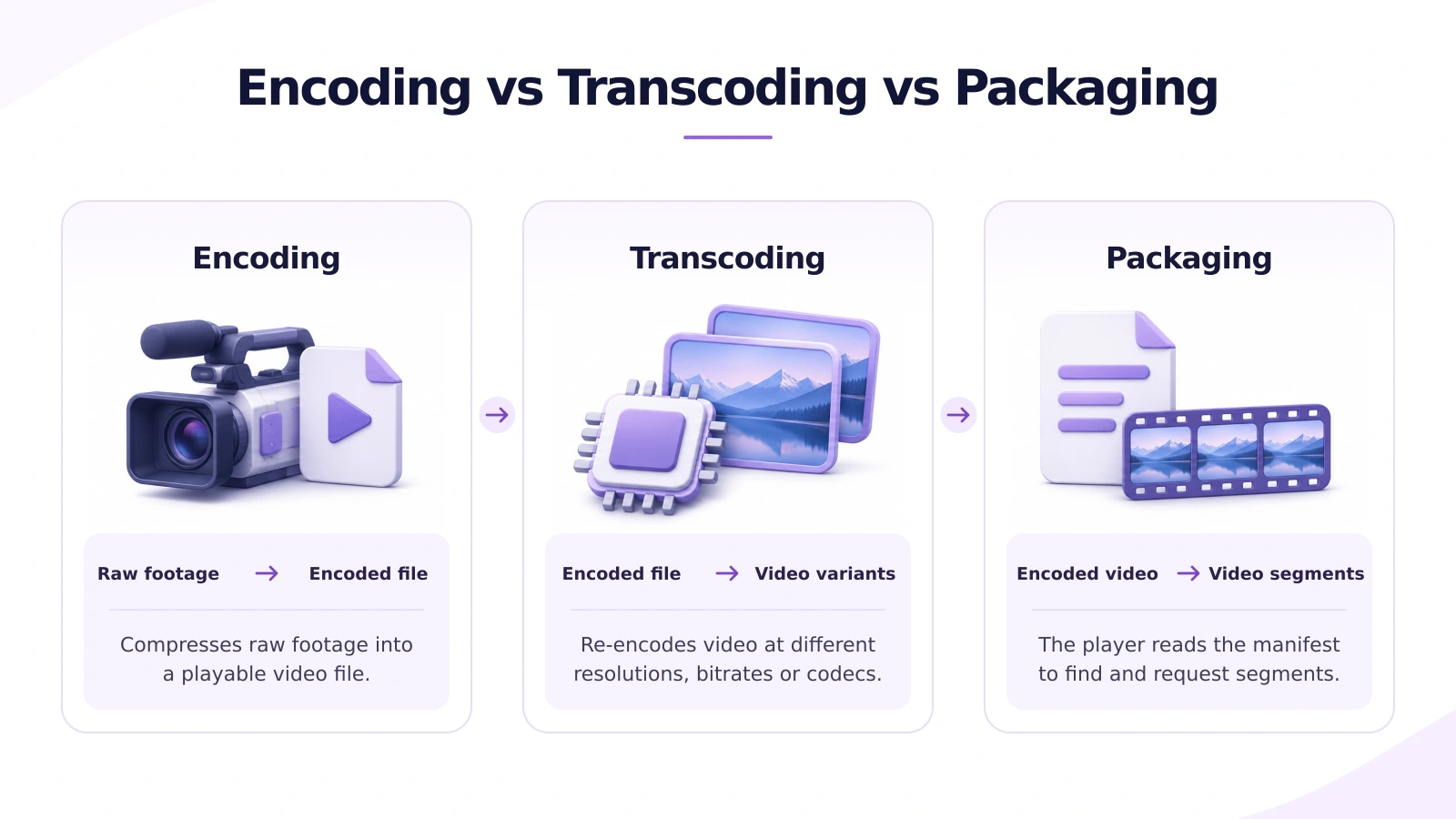
Encoding is the process of taking your data and putting it in a format that can be decoded. Transcoding simply takes an encoded source and reencodes it using new parameters. Streaming services will take their high bit rate file (production master) and transcode it into multiple low bit rate files.
Packaging is taking your encoded media and preparing it for delivery. This is usually done by splitting your content up into chunks and creating playlists/manifests to allow the player to know to request from these locations. Packaging can also be carried out at the same time during transcoding. Packaging doesn’t necessarily always mean recompression.
When evaluating OTT infrastructure, ask which component handles each job. A perfectly encoded video can still fail if the playlist points to missing segments.
What Changes When You Transcode a Video?
You will want to take into consideration 4 key factors when creating your video to ensure the quality is good on your devices:
- Codec: This is the type of compression that the video will be using. It must be something that can be decoded on your target devices.
- Resolution: How many pixels are being used. 720p videos will have less pixels than 1080p.
- Bitrate: How much data is being used per second. If you don’t have a high enough bitrate your footage may appear blurry with motion or lose some detail.
- Frame Rate: This is how many frames are being shown each second. This can affect how smooth your motion appears, especially with sports or fast panning.
You could stream a studio interview at 720p. However, if you have a football match you may need more data to make sure the quality is good. As different titles will have different data requirements it is best to experiment with a preset you like on one of your titles.
How Do You Build a Bitrate Ladder?
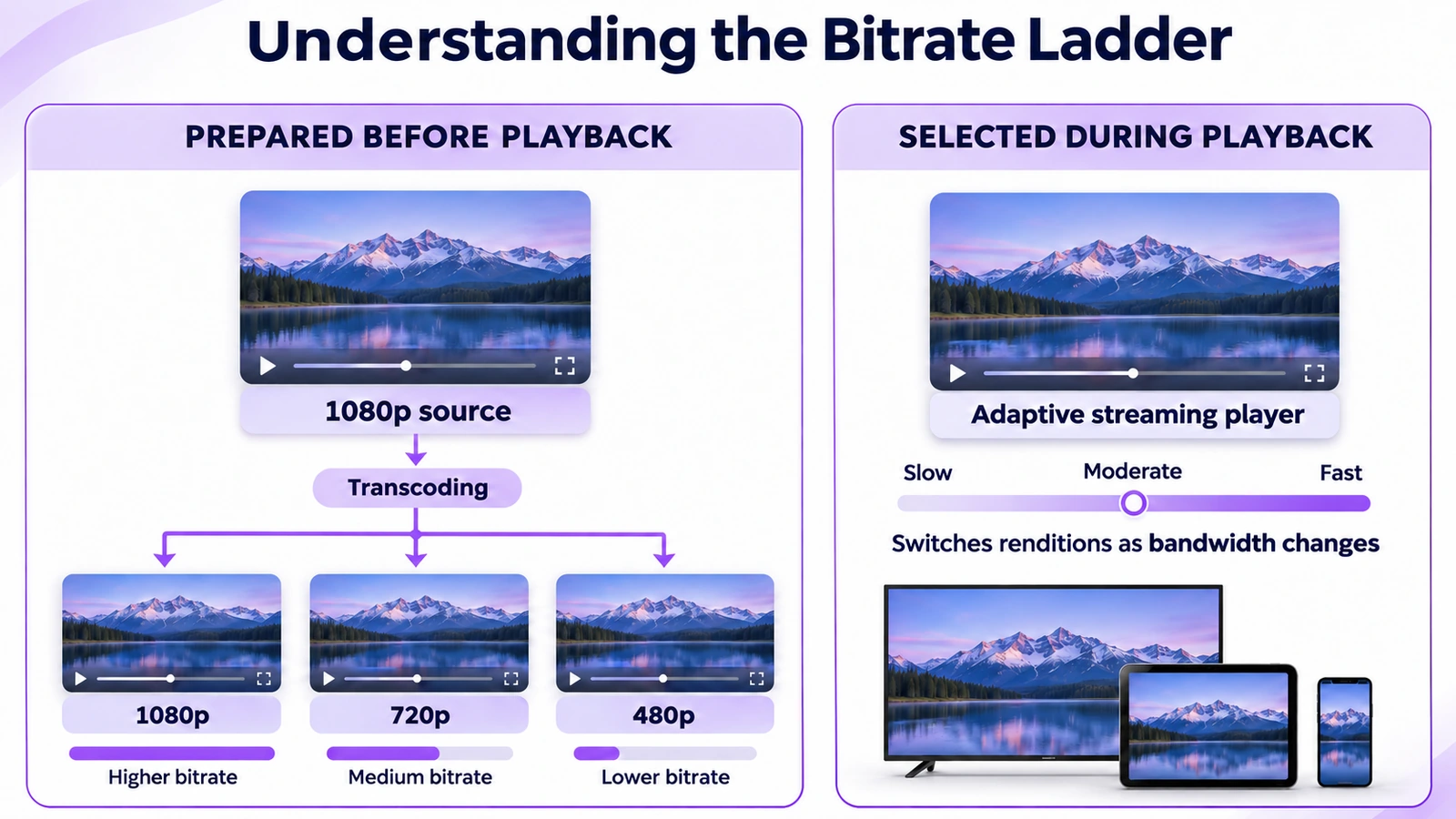
Bitrate ladder. Multiple versions of video at different bitrates (and often resolutions). Maybe we want 1080p, 720p and 480p versions of our 1080p master depending on how good your source is and what devices you are supplying the video to.
If you are using adaptive streaming then if the slow segments are causing a problem the video player will attempt to play a lower bitrate version. However, it will only do this if there is a version available. There is no transcoding involved.
Ensure that when you play the lowest bitrate on a slow connection that it isn’t too large to play in time, but still has good enough quality that your audience can understand. Check that the next size down for the highest bitrate looks similar on their screen. If they look very similar then you may not require another rendition.
What Does a Transcoding Workflow Look Like?
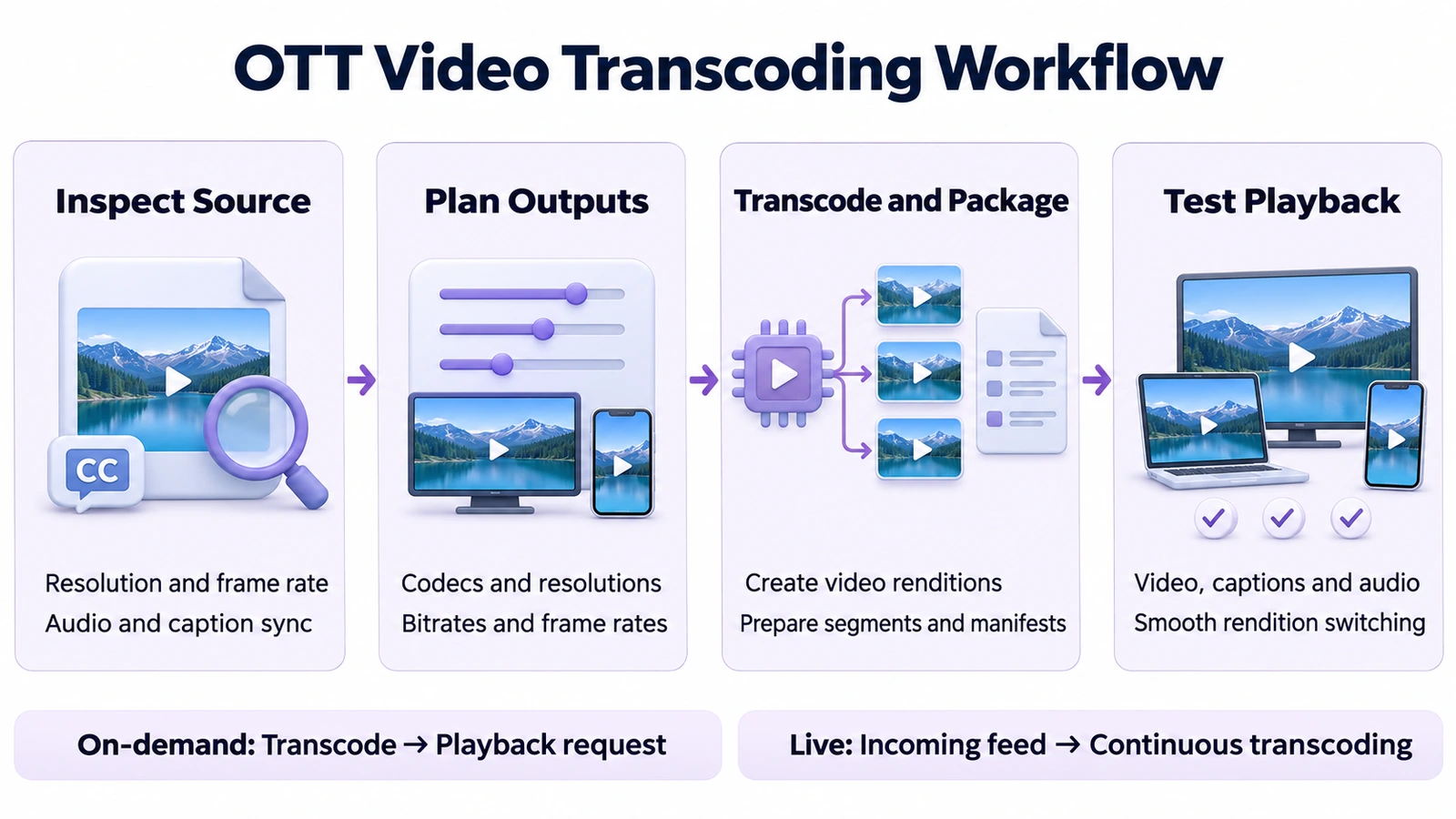
- Have a look at your source and ensure that everything is set up correctly. Ensure that it has the correct resolution, frame-rate, audio and captions. Correct any obvious issues with the sync.
- Plan out your outputs. Choose codecs and rendition settings for your target devices. Keep your source high quality so that you can create new versions from it.
- Transcode & package. Create your renditions and package them up. Ensure that transitions will be smooth by making sure points of transition match up.
- Play back using a real player. Play your lowest and highest rendition and simulate a slow internet connection. Ensure that there are no issues with the quality changing and also that captions, audio selection and seeking are working.
A finished processing job only tells you that files have been created. It doesn't tell you if the smallest rendition is readable when subtitles are added or if the audio format will work on an older television.
How Does Transcoding Differ for Live and On Demand Video?
| Decision | Live streaming | Video on demand |
|---|---|---|
| When processing happens | Continuously as the feed arrives | Before viewers request playback |
| Main constraint | Keep up with the feed within the latency budget | Balance picture quality, processing time, and storage |
| How to catch failures | Rehearse with the real feed and monitor the broadcast | Inspect outputs and reprocess failed titles before publishing |
For on demand libraries, test a dialogue heavy episode, a dark scene, and a fast action title before applying a preset across the catalog. For a live event, rehearse with the actual production feed. A quiet test slate will not show how the workflow handles a rapid camera pan or detailed crowd shots.
What Should You Check Before Publishing?
- Look for visible compression artefacts in dark imagery, fast motion, and small on screen font.
- Ensure that the video will play on typical devices such as phones, browsers and TVs.
- Check that the language tags are correct and that audio tracks remain in sync after seeking or changing quality.
If you have a title that will not play on one TV but can be played in a browser, ensure that the codec and audio are compatible. If more than one device is failing at the same point in time, inspect the section of the output video that is failing to see what it matches in comparison to the source.
Final Thoughts
Your encoding ladder should be set up to provide the best content to your viewer. To start off with, keep your bitrates low when setting up your encoding ladder. Use fast-paced, dark and small text content to trial. Your lowest quality content should be tested as much as your higher qualities. This is because it may be the only quality that can be viewed on their slow connection. Keep a master file of your source and take note of what settings have been applied to your target devices. Only include additional qualities if there is an obvious problem with the quality or compatibility. Do not include extra qualities if you can.
For more on video delivery and OTT operations, explore streaming technology updates on LinkedIn.
Planning to launch or modernize an OTT platform?
StreamPlay helps media companies, sports leagues, and broadcasters launch branded OTT aggregator apps with CMS, monetization, discovery, and multi-device support.
Frequently Asked Questions
Does transcoding improve video quality?
Yes, it can improve video streaming, however you cannot improve the detail within your video that isn’t there in the original.
Is transcoding the same as compression?
No. Transcoding is taking an already encoded video and compressing is part of this process.
Do I need to transcode my MP4 to change the container?
No. If the new container supports the codecs in your source then you can simply package the video tracks without re-encoding.
Do I need 4K versions on my OTT platforms?
No. Only include 4K if your source, destination devices and viewing conditions justify it.
What factors affect how much it will cost to transcode videos?
The length of your source, number of outputs, resolution, codec and processing settings will all affect cost.
Can I transcode live videos?
Yes. With a live transcoder new versions are created on the fly.