What Is an OTT CMS? Features, Workflow & Benefits
Learn what an OTT CMS is, how it manages video libraries, metadata, content rights, and publishing, and why streaming platforms need one.


Table of contents
What Is an OTT CMS and Why Does Your Platform Need One?
Keeping a stream service running can become complicated as you have more digital content to manage. New episodes need uploading and licensing agreements will come up for renewal. Your customers expect accurate information about your content no matter what device they are using.
Without a central system to manage your videos, descriptions, regional restrictions and a consistent upload schedule it can become difficult.
An OTT CMS makes it easy to manage your digital video content. It connects your content management processes to the systems providing the entertainment.
Quick Answer
An OTT CMS (Content Management System) allows you to manage your video content. Operators can easily manage metadata, licensing, categories and availability of video content in one place. This means there is less manual work required and publishing will be consistent across all streaming applications.
What Is an OTT Content Management System?
An OTT CMS is a specific content management system for internet video streaming applications.
Unlike a standard CMS used for websites and managing content like articles, images and web pages, an OTT CMS will allow you to manage your videos.
For example:
- Manage your Video Library
- Manage your Metadata
- Manage Content Dates
- Manage Access
- Publish to Multiple Devices
A CMS will typically be used in conjunction with video processing, delivery, authentication and payments platforms.
Businesses evaluating OTT platform infrastructure should consider content management as an essential operational component rather than an optional administrative feature.
Why Does Your OTT Platform Need a CMS?
Managing a small library can be achieved manually with basic spreadsheets.
But as your streaming service grows you will have lots of content to manage with lots of records, publish dates and distribution rights.
1. Centralize Content
Having a CMS means you can have all your content in one place. For example if you have several TV series streaming service you can have:
Series > Season > Episode > Video Asset
This will help keep your episodes in order with accurate descriptions, artwork and publish dates.
2. Standardize Content
If you're not using a CMS you may find that titles are inconsistent across your mobile, web and connected TV apps. Using a CMS will help your team keep everything standardized.
3. More Control Over Publishing
Your content editors can create titles, set availability and publish dates. This becomes useful if you have multiple content providers or regional libraries.
How Does an OTT CMS Work?
An OTT CMS can be used for preparing content, publishing it and managing it.
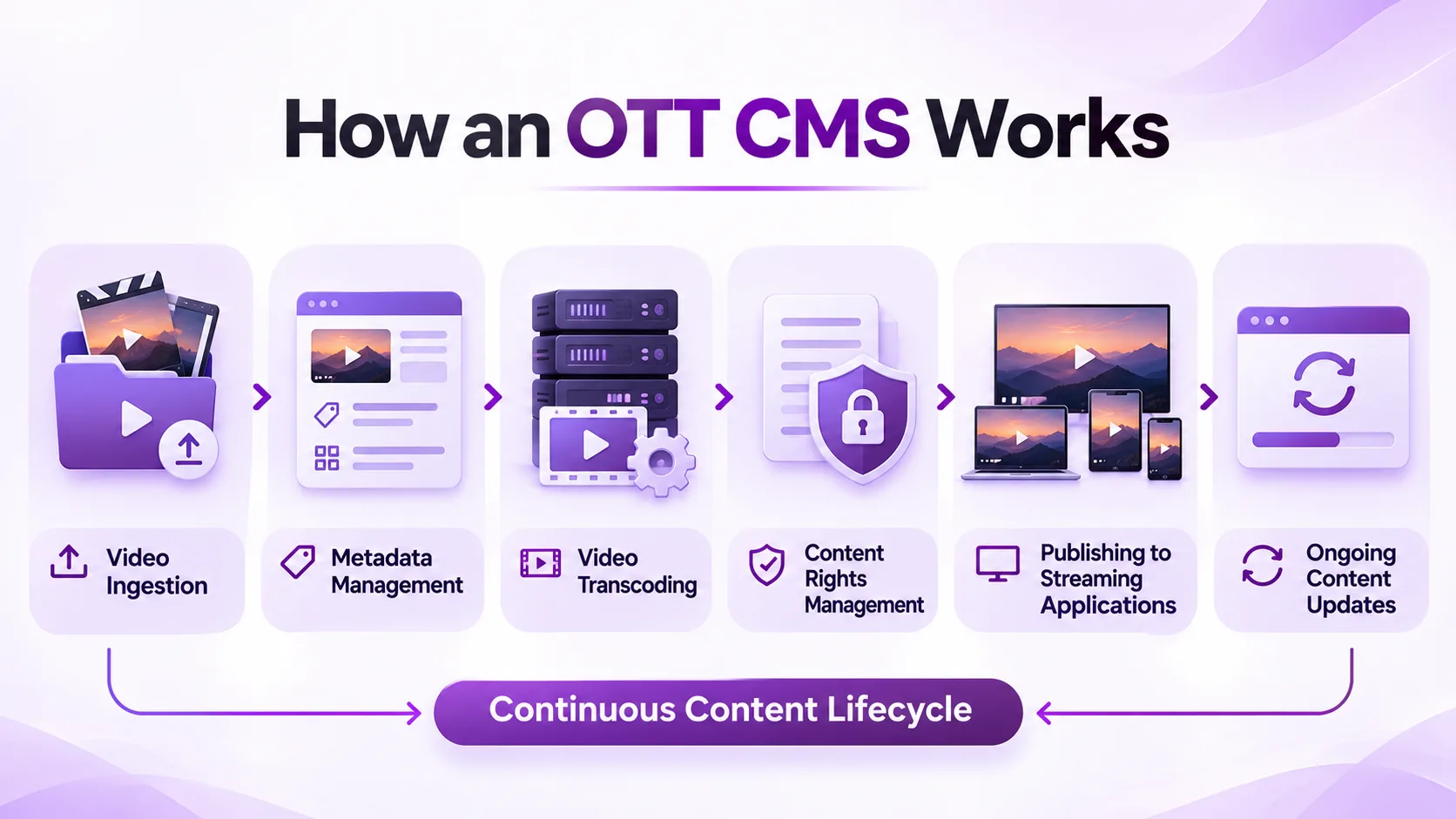
The process usually involves 6 steps:
1. Ingest Video Content
Content is uploaded or provided by approved sources.
Metadata is captured for each piece of content, which may be processed by other services.
2. Add Content Metadata
Titles, descriptions, categories, languages, artwork and episode information are added by editors.
This provides accurate data to help admins and users find the right content.
3. Transcode Video Content
Connected Encode / Transcode systems will prepare your videos so they are playable on different devices and networks.
The CMS may manage the transcoding jobs.
4. Set Content Rights.
Admins will set the availability of the content in certain territories, when and any access rights.
5. Publish Content
Approved titles will now be available via connected streaming apps.
6. Manage & Update Content
Content teams will ensure that content is available, correct metadata has been added and content is updated. Expired content will also be removed.
The key benefit to this is having full control over your content lifecycle.
Which OTT CMS Features Matter Most?
Not every streaming business needs the same content management capabilities.
A movie library, live sports service, and educational platform may have different operational requirements.
| CMS feature | Purpose | Why it matters |
|---|---|---|
| Content ingestion | Adds video assets | Simplifies content onboarding |
| Metadata management | Organizes title information | Improves discovery |
| Publishing scheduler | Controls release timing | Supports planned launches |
| Rights management | Maintains availability rules | Supports licensing compliance |
| User permissions | Controls administrative access | Reduces unauthorized changes |
| Content analytics | Reviews catalog performance | Supports editorial decisions |
When comparing content management features, prioritize the capabilities that support your existing workflows.
A smaller platform may need straightforward library management, while a larger content aggregator may require advanced scheduling and licensing controls.
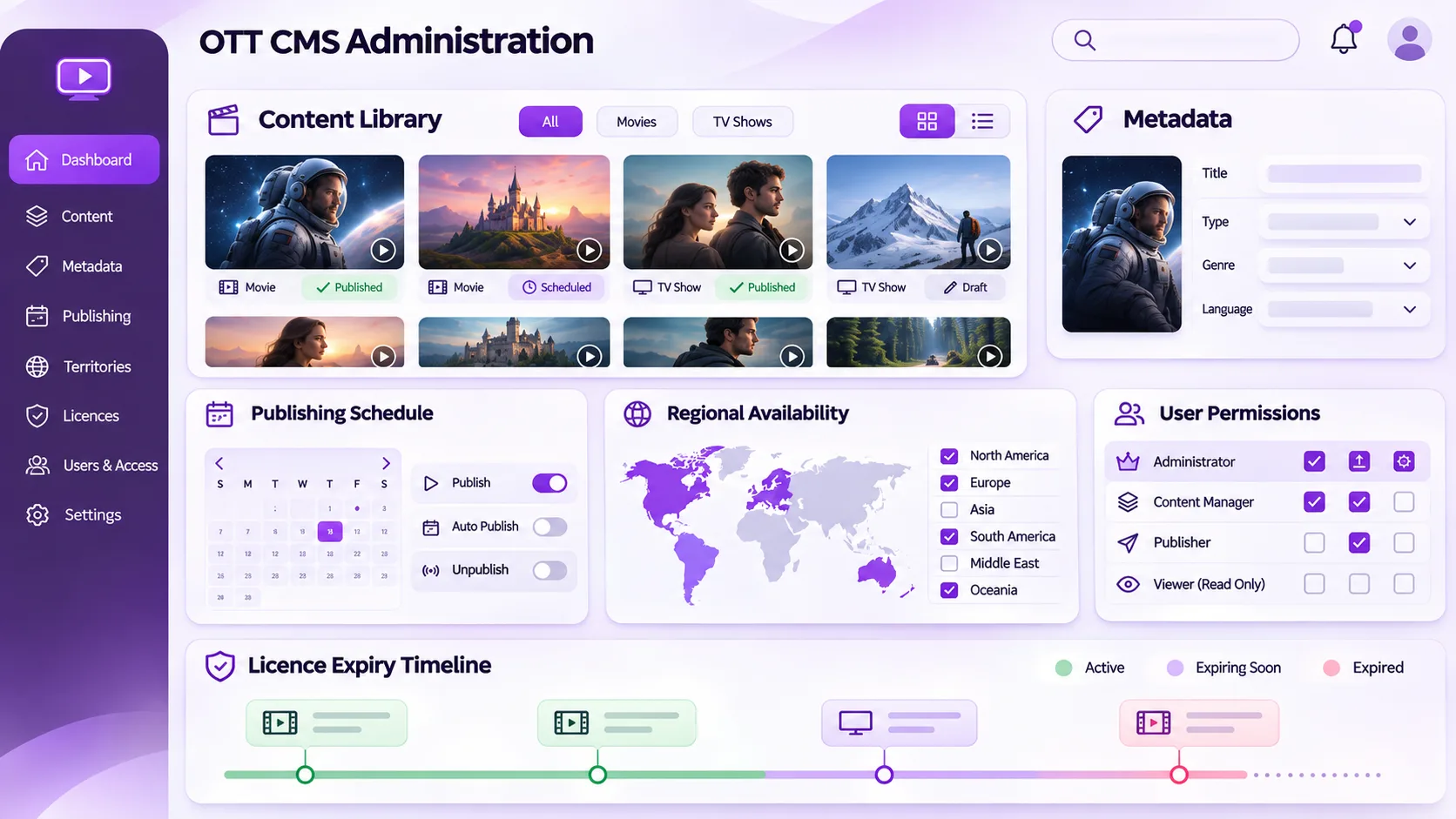
How Does an OTT CMS Manage Content Rights and Publishing?
Content rights play an extremely important role in OTT businesses.
Titles can be licensed to show in certain countries, subscription tiers, or within set timeframes.
For example, if a streamer licenses content to show to users in India for 6 months.
The CMS should allow content administrators to track:
- How long the content is licensed for
- Which countries it can be viewed in
- Which delivery channels it can be distributed on
- When it will be available
- What restrictions apply
The CMS should integrate with entitlement and delivery systems to ensure that these rules are strictly followed.
If there are any errors during content publishing, there could be issues with content being inaccessible to authorised subscribers or showing content outside its intended timeframe.
Content should still be reviewed by people. Editors and rights managers should check that the licensing details are correct.
OTT CMS vs. Traditional CMS: What's the Difference?
Traditional CMSs are used to manage content such as articles, landing pages and images.
OTT CMSs are focused on managing streaming content.
Publishing a blog article is usually a fairly straightforward process that involves writing, formatting and publishing your webpage.
However, when you come to publish a TV episode, there’s more information required. For example, details of the video assets, how they have been encoded, what episodes are required and available, subtitled and the rights to the content.
Whilst some traditional systems can accommodate video, additional services may be required to manage the full OTT process.
How Can an OTT CMS Improve the Viewer Experience?
Even though the viewer may not interact with a CMS directly, the way your catalog is set up will affect what they see.
A well organised catalog will help you:
- Provide accurate search results and content descriptions
- Ensure movies and episodes are in the right order
- Ensure that artwork, categories are kept up to date
- Ensure subtitles and language match with content
- Get new content out at the right time.
If a new series is launched and the episodes are in the wrong order, this can cause confusion for the viewer.
A CMS can help the content team identify issues so that they can be resolved before or after publication.
Recommendations, quality of playback and application design rely on other systems.
How Should Businesses Choose the Right OTT CMS?
You must know how the content will be used within your business.
A movie distribution company that offers hundreds of licensed titles will have different requirements to a platform that publishes a few educational videos.
Ask yourself:
- How much content do you require? How many titles, episodes and assets?
- Do you need multiple editors/content providers to have access to the system?
- Will there be issues with licensing? For example region locked content or expiry dates?
- Can it integrate with your current streaming/payment systems?
- Will you be able to monitor content and see where issues occur?
If your business has a large amount of content, such as entertainment, then a video on demand content management solution will help you collate your content, keep your library organised and manage your publishing.
Consider what is needed, and choose a solution that is easy to manage and will allow for future content growth. Don’t go for unnecessary features.
Final Thoughts
An OTT CMS is a key part of any modern streaming service.
It can help with managing your video library, ensuring metadata is correctly maintained, scheduling and ensuring consistency across all supported applications.
With more content being added to streaming catalogs, it's becoming more beneficial to have one place to manage your content to ensure there are no issues.
The right OTT CMS will make day to day tasks easier and ensure that you have everything in place regarding your content, licensing and distribution.
For more insights into OTT content management and streaming technology, explore streaming industry updates on LinkedIn.
Planning to launch or modernize an OTT platform?
StreamPlay helps media companies, sports leagues, and broadcasters launch branded OTT aggregator apps with CMS, monetization, discovery, and multi-device support.
Frequently Asked Questions
What is an OTT CMS?
An OTT CMS manages your video content, metadata, scheduling and availability.
Why do I need a CMS?
It provides a single source of truth, reducing administration and ensuring consistency of content across your streaming apps.
Can I manage Movies & TV shows in my OTT CMS?
Yes. You can manage your Movies, Seasons, Episodes, Metadata, Artwork and Scheduling.
How is an OTT CMS different from a CMS?
An OTT CMS will help manage your video workflows whereas a CMS will primarily aid you with managing your website pages, articles and images.
Can I manage Licensing within an OTT CMS?
Many OTT CMS options can help manage licensing information, availability per region and publishing rules.
Can I manage my content across multiple devices?
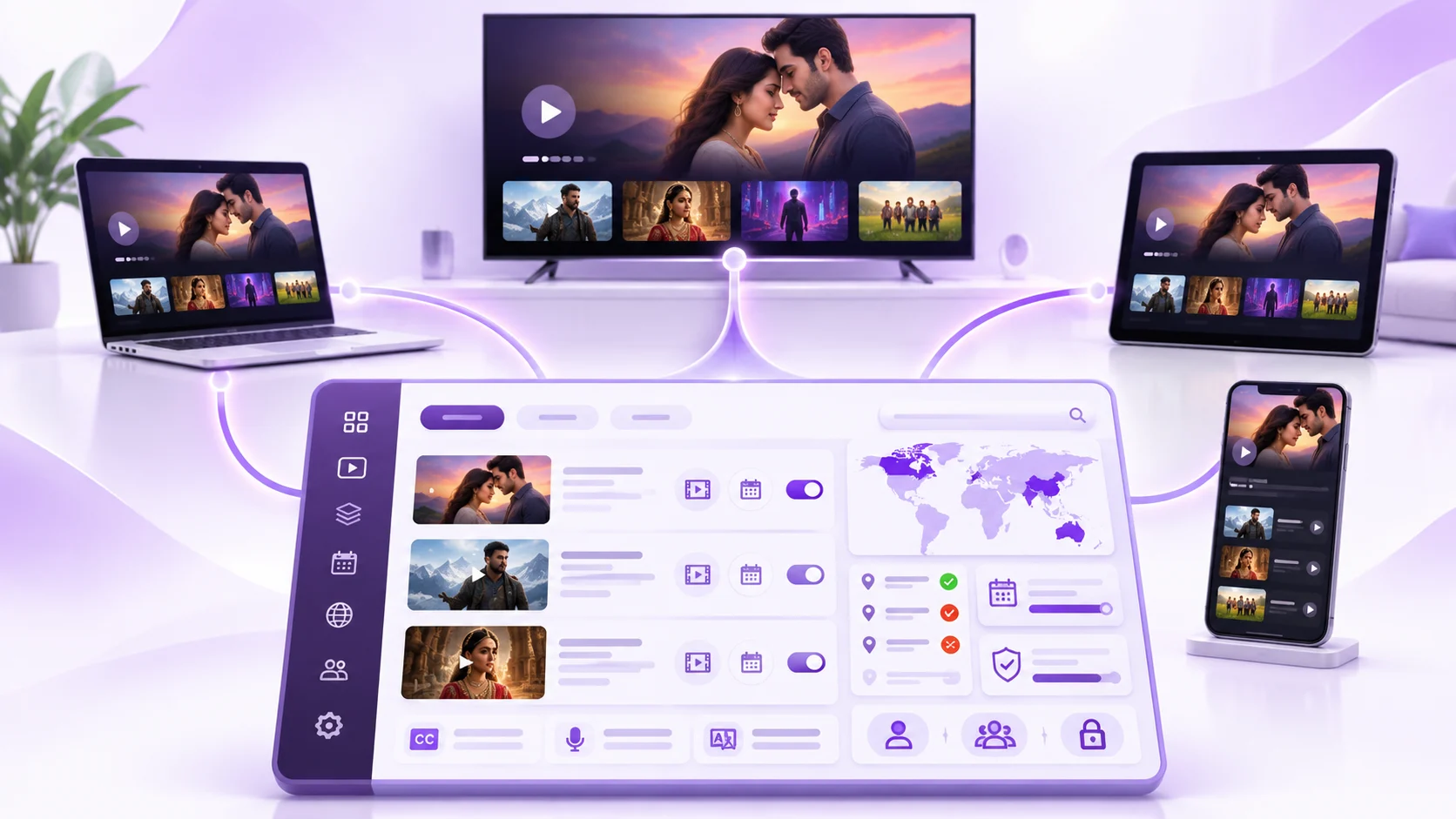
Yes. Your OTT CMS will help you manage the publishing of your content across your connected web, mobile and television apps.